Browser Automation vs API Integration: Which to Pick
Browser automation vs API integration: learn how each connects your business software, when each fits, and how to choose without wasting money.
You lose hours every week to repetitive computer work: copying orders into your accounting tool, re-keying leads into a CRM, downloading statements from a portal. The question is how to connect the software so a machine does it. The short answer: if your tools offer an official connection, API integration is usually the cleaner, more reliable choice. If one of them only lets you work through its web pages, browser automation is often your only route. Most real businesses end up using a mix.
The Two Ways Software Gets Connected
There are two broad ways to stop doing a task by hand.
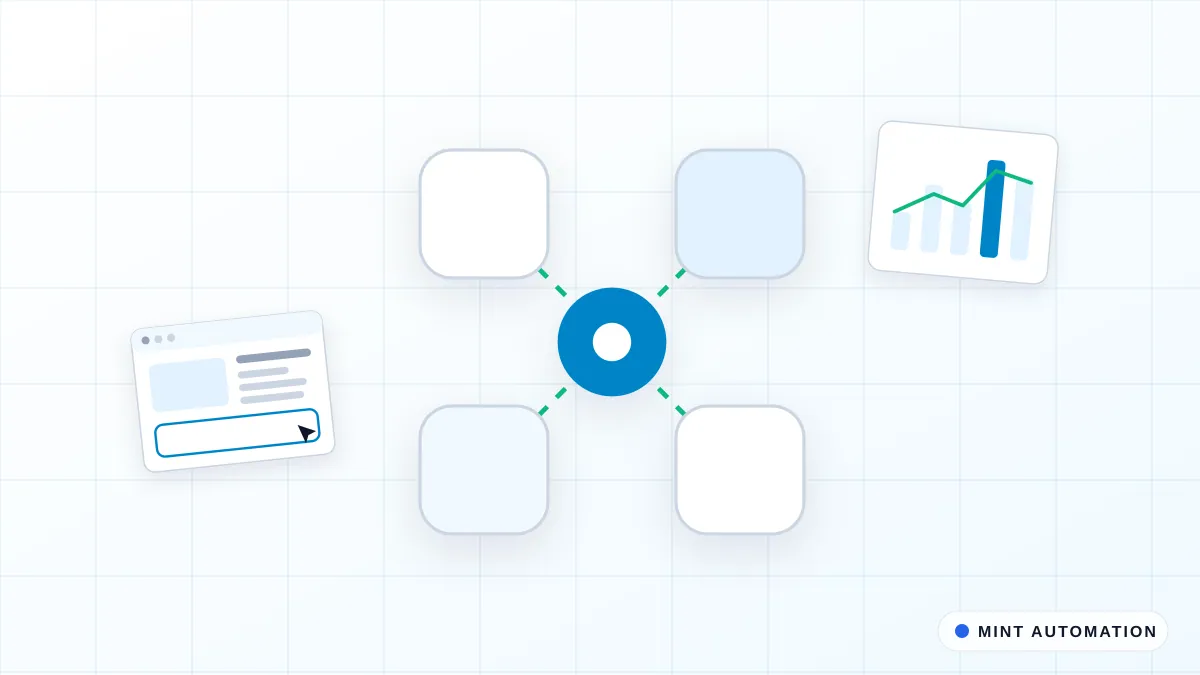
API integration means two systems talk to each other directly through an official connection the software vendor provides. An API (application programming interface) is a defined way for one program to request data or send data to another, without a person clicking anything (Wikipedia: API). Think of it as a staff door between two buildings that the owner built on purpose for deliveries.
Browser automation is different. Here, software clicks, types and copies on screen the same way a person would. It opens the web page, fills the fields, presses the buttons and reads the results. There is no special door. The software uses the same front entrance your staff use.
Why does the choice matter? Because it affects three things you care about: how much it costs to set up, how reliably it keeps running, and how long it works before something breaks. An official connection tends to be steady and quiet. On-screen automation tends to be more exposed to change. Picking the wrong one means paying for something fragile when a sturdy option existed, or waiting for an official connection that your software will never offer.
How API Integration Works in Practice
API integration is the better pick when the software you already use offers an official way to connect. Many common tools do, including a lot of CRMs, accounting packages like QuickBooks and Xero, and e-commerce platforms like Shopify. When that door exists, data can move directly and quietly in the background, often within seconds of something happening.
Because the connection is official, it is far less likely to break when the vendor redesigns the look of their screens. The buttons and layout a person sees can change completely while the underlying connection keeps working. That stability is the main reason to prefer it when it is available. You can see where this fits in our API and app integrations work.
What a clean connection looks like
A new paid order appears in Shopify. Within moments, a customer and invoice are created in your accounting tool, the stock count is updated, and a line is added to a Google Sheet your team watches. Nobody opened a tab. Nobody copied an order number. If the sale is refunded later, the same connection reverses the entry. The work happens whether or not anyone is at a desk.
Where it tends to shine
API integration shines when you move a lot of records, when you need near real-time updates, and when the task runs around the clock. It handles volume without getting tired or distracted, and it keeps a tidy record of what it did. If you are weighing whether a task justifies this, our guide on the ROI of automating a business process walks through the maths.
How Browser Automation Works in Practice
Browser automation is best when a system has no official connection, or only lets you get at your data through its web pages. This is common with older software and specialist tools that were never built to talk to anything else.
It is especially useful for legacy portals, government and bank sites, supplier ordering systems, and older internal tools your business depends on. Because it follows the same steps a staff member would, almost anything a person can do on screen is possible: log in, search, filter, download a report, enter data, submit a form. You can read more about this on our browser automation and web automation pages.
When it is the only option
Suppose you download VAT statements from a tax portal every month, or pull remittance advices from a bank site that offers no feed, or place repeat orders in a supplier system from the 1990s. None of these will ever hand you an official connection. Browser automation is not a compromise here; it is the only practical way to take the task off a person’s plate.
The trade-off to accept
The trade-off is sensitivity to change. Because the software reads the screen, a redesign, a new login step, or a moved button can stop it until it is adjusted. Good providers plan for this: they monitor the automation, get alerted when it fails, and fix it quickly. The right question is not whether it can break, but who notices and how fast it is repaired.
A Side-by-Side Comparison
Here is how the two compare on the things that affect your budget and your week.
| Factor | API integration | Browser automation |
|---|---|---|
| Setup effort | Lower when an official connection exists; faster to a stable result | Higher; each screen and step is mapped out |
| Reliability when screens change | Usually unaffected by visual redesigns | Can pause until adjusted after a redesign |
| Speed and volume | Strong; handles large batches and near real-time updates | Slower per task; works at roughly human pace |
| Ongoing maintenance | Lighter once running | Needs active monitoring and occasional fixes |
| Availability | Only if the vendor offers an official connection | Works wherever a person can use the website |
Neither is “better” in the abstract. API integration wins on steadiness and volume when the door exists. Browser automation wins on reach, because it works anywhere a person can log in. Many workflows use both: an official connection where one exists, and on-screen automation to bridge the one tool that has no connection.
The Three Realistic Options for Any Task
Before choosing a method, it helps to see that doing nothing is also a choice with a cost. For any repetitive task you have three realistic options.
Manual
Keep doing it by hand. The setup cost is zero, which is why it feels cheap. But it quietly bills you every week in hours, and errors creep in whenever someone is rushed or new. For a once-a-month, five-minute task, manual is often the correct answer. For anything done daily, the cost adds up fast. Our article on what can be automated covers which tasks are worth leaving alone.
Off-the-shelf tools
Ready-made connector tools link common apps together quickly and cheaply. When your process is standard, for example moving new form responses into a spreadsheet, they are hard to beat on speed and price. They start to strain when your process is unusual, has conditions and exceptions, or touches a system they do not support. We stock several ready-made options on our products page, such as the Sheets ↔ CRM Sync and the Invoice Automation Kit.
Custom build
A custom build fits your exact process. It handles the messy cases, the approvals, the odd exception that breaks off-the-shelf tools, and it can chain several systems together. It costs more up front and is worth it when the task is central to how you run. See how we approach this on our custom software and custom automation services pages.
Who Each Option Suits
The right choice usually follows from your tools and the shape of the task.
- A small team on standard software (for example QuickBooks, Shopify, Google Sheets) running a common task often does well with an off-the-shelf connector. The door exists and the process is ordinary.
- A business tied to a portal or older system with no official connection usually needs browser automation. There is no door, so the automation uses the front entrance.
- A process with many exceptions, approvals, or several systems in a chain usually needs a custom build, because standard tools cannot hold all the rules.
- As an illustrative example: if a task takes one person five hours a week, that is a meaningful chunk of a working day. Weigh those recurring hours against the one-time cost of automating it. The faster that cost is recovered, the easier the decision.
If you want help estimating that trade-off for your own numbers, our ROI guide and free automation assessment are good starting points.
How to Choose Without Wasting Money
You can get most of the way to the right answer with a few honest questions and a disciplined starting point.
A short decision checklist
Run each task through this before you commit:
- Does the software offer an official connection? If yes, start there. If no, browser automation is likely.
- How often do the screens change? Frequent redesigns raise the maintenance cost of on-screen automation.
- How much volume do you run? High volume and near real-time needs favour an official connection.
- How standard is the process? Standard favours off-the-shelf; many exceptions favour a custom build.
- What does the task cost you now, in hours per week? That number sets your budget.
Start with the single task that costs the most time, not everything at once. One well-chosen automation delivers a result you can measure, and it teaches you what to tackle next. You can see finished examples on our case studies page and how we deliver on how it works.
Questions to ask a provider
Before you pay anyone, ask:
- Which approach are you recommending, and why that one over the others?
- How is the automation monitored, and who gets alerted when it breaks?
- What is the response time to fix it, and is that included in the price?
- What happens to my data, and where is it stored?
- What does ongoing support cost after the build?
If a provider cannot explain how they will know the automation has broken, that is a warning sign. Our automation FAQ answers more of these questions.
Sources and further reading
How Mannveer International (MINT) Can Help
We start by looking at your actual task, not a sales script. We tell you honestly whether an API connection, browser automation, an off-the-shelf tool, or no automation at all is the right call. If an official connection exists, we use it. If your process runs through a portal with no connection, we automate the screens. If it is too specific for standard tools, we build the custom part and chain your systems together. You get a fixed quote after scoping, and standard automations are typically delivered in about three to seven business days.
We do not disappear after launch. We monitor what we build, get alerted when something fails, and fix it when a vendor changes their screens, so you are not left stranded mid-week. That ongoing support is the difference between an automation you can rely on and one that quietly stops working.
- Contact MINT to describe the task that costs you the most time.
- Connect with MINT to talk through whether API or browser automation fits.
- See real examples in our case studies.
- Start with a free automation assessment and get an honest recommendation.
FAQ
Is browser automation less reliable than an API integration?
It is more exposed to change, because it reads on-screen pages that a vendor can redesign. An official API connection usually survives visual redesigns. With active monitoring and quick fixes, browser automation runs reliably, but it needs more ongoing attention than a clean API connection does.
Do I need an API integration if my software already has one?
Usually yes. If your software offers an official connection, it is the steadier, lower-maintenance choice and handles volume well. The exception is a very simple one-off task where manual or an off-the-shelf connector is cheaper. Match the method to the task, not just to what is available.
What happens to browser automation when a website changes its layout?
A redesign, moved button, or new login step can pause the automation until it is adjusted. A good provider monitors it, gets alerted on failure, and updates it quickly, often before you notice. Ask who watches for breaks and how fast repairs are made before you commit.
Which is cheaper to set up and to maintain over time?
When an official connection exists, API integration is usually cheaper to maintain and often faster to a stable result. Browser automation can cost less to start when no connection exists, but tends to need more upkeep. Weigh setup cost against ongoing maintenance, not just the first invoice.
Can the two approaches be combined in one workflow?
Yes, and many real workflows do. We use an official connection wherever one exists for speed and stability, then use browser automation to bridge the one tool that has no connection. Combining them lets a single process span modern apps and older portals in one chain.
Stuck re-typing data into web portals?
MINT builds and maintains browser automations for portals that have no API.